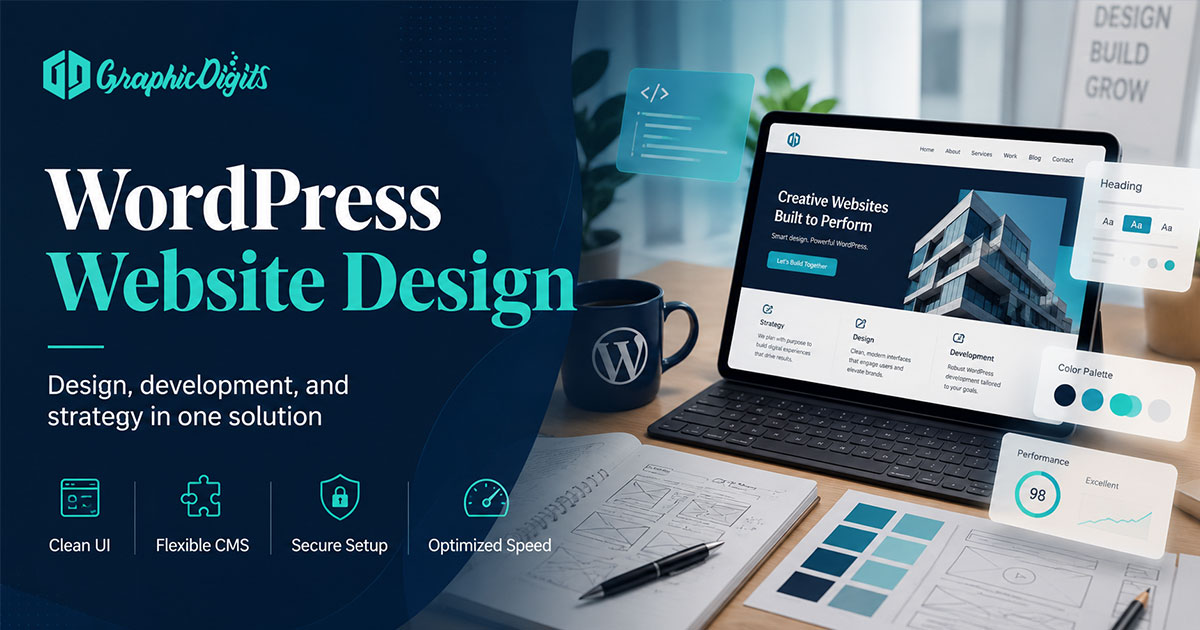
What WordPress website design should accomplish
WordPress website design works best when the structure is planned before the theme, page builder or visual styling is chosen. Start with business goals, audience, required pages, content responsibilities, navigation and conversion paths, then decide how the visual system and WordPress setup should support that plan.
This guide focuses on planning and design considerations—not WordPress development, plugin engineering or managed hosting. For commercial website scoping and delivery, start with website design services.
Fit checks: when WordPress is the right tool
- Editors need to update pages, blogs or landing content without constant developer help
- You want a familiar CMS ecosystem for common business site patterns
- Content volume and clear page structure matter as much as visual design
- Needed integrations can stay scoped without becoming a full product application
If you need an app-like experience, a heavy SPA workflow or a highly specialized product shell, compare options such as single page application or progressive web app approaches before forcing everything into a theme.
How to Plan a WordPress Website Before Design
Use this sequence before shopping themes or opening a page builder. It keeps WordPress website design planning focused on business outcomes instead of decorative demos.
- Define business goals for the site (leads, bookings, education, credibility)
- Identify primary audiences and what each needs to decide
- List required pages for launch versus later phases
- Build a draft sitemap and navigation groups
- Define one primary goal for each core page
- Identify who writes, reviews and publishes content
- Inventory required copy, images, logos and supporting assets
- Note forms, downloads and integrations the design must support
- Decide responsive priorities for mobile and desktop
- Choose a theme-customization or custom-design direction
- Prepare design handoff requirements for the implementation team
Sitemap and information architecture
A WordPress sitemap should show page hierarchy, not just a flat list of URLs. Separate primary pages (home, services, about, contact) from secondary pages (details, FAQs, resources). Group navigation so visitors can predict where offers, proof and next steps live.
- Map conversion paths: contact, quote, book or learn-more journeys
- Show how services, products or categories relate without duplicate pages
- Identify repeated content patterns (service pages, blog posts, resource pages)
- Keep labels in the language buyers already use
Clear architecture makes later template and module decisions easier—and prevents every new page from becoming a one-off layout.
Content inventory and readiness
Design decisions depend on what content is ready. Inventory existing copy, new copy requirements, photography or imagery, logos and brand assets, forms, downloads and testimonials or other proof. Assign ownership and approvals so gaps are visible before visual work starts.
Incomplete content often forces weak templates: empty sections, placeholder headlines or layouts that collapse once real copy arrives. Content readiness is part of WordPress website design planning, not an afterthought.
Page goals for core templates
Each core page should have a practical brief:
- One primary purpose
- Target audience
- Main action
- Supporting content
- Proof or trust needs
- Required functionality (form, gallery, downloads, embeds)
This keeps homepage, service and contact templates honest without turning planning into conversion-rate consulting.
Wireframes and template mapping
Sketch page structure before visual styling. Map repeated page types—services, blog, resources—and identify reusable modules such as intro, proof, process, FAQ and CTA blocks. Confirm priority sections for each template before theme customization or custom UI work begins.
Wireframes here mean simple structural sketches, not complex interactive prototypes. The goal is agreement on hierarchy and modules so WordPress templates stay consistent for editors later.
WordPress-specific design considerations
Design for editable patterns, not one-off page hacks. Prefer reusable modules, consistent templates and visual rules that editors can extend without breaking hierarchy. Theme constraints matter: plan within what a theme can support cleanly, or move to a custom direction when structure must be unique.
- Keep typography, color and button styles consistent across page types
- Document how new pages should reuse approved modules
- Design spacing and section rhythm that survives real content lengths
- Plan responsive behavior for stacked sections and navigation
Responsive and mobile planning
Plan how content stacks on smaller screens, how navigation collapses, where CTAs remain visible and how images, forms and touch targets behave. Prioritize the content that matters first on mobile—offers, proof and next steps—without designing two unrelated sites.
Related responsive planning context lives in our responsive website design services overview.
Visual hierarchy, branding and readability
Strengthen hierarchy with clear heading levels, restrained color use, consistent spacing, coherent imagery and predictable CTA treatment. Reusable components help a WordPress site feel designed rather than assembled page by page.
Practical readability and accessibility considerations include readable contrast, sensible type sizing, understandable link and button labels, predictable navigation and clear form labels. This guide does not claim formal accessibility certification.
Theme customization vs custom website design
Theme customization may suit faster launch, an established structure, controlled scope and an existing WordPress or CMS theme ecosystem. Custom design may suit unique structure, differentiated layouts, complex content relationships or stronger bespoke design-system needs. Cost and timeline vary with content readiness and constraint quality—avoid oversimplified “theme equals cheap, custom equals slow” assumptions.
Working from an existing WordPress or CMS theme? Review WordPress theme customization. When a prebuilt theme is too restrictive for from-scratch structure and UI, review custom website design.
Design vs development boundary
Design covers sitemap and information architecture, content structure, wireframes, layout, responsive planning, visual hierarchy, templates and modules, branding and handoff.
Development covers PHP or code work, plugin engineering, database and server work, hosting and backend implementation. This planning guide does not imply GraphicDigits owns unsupported development, hosting or maintenance services.
Functionality, performance and SEO as planning inputs
Identify required functionality before design so an implementation team can confirm suitable plugins or integrations. Do not treat plugin shopping as the planning step.
Performance planning stays design-adjacent: image weight, excessive builder complexity, animation restraint, third-party embeds and template or page complexity. This is not Core Web Vitals engineering or hosting optimization as a service.
SEO-friendly planning means logical headings, useful page structure, planned content hierarchy and clear ownership of crawlable content—not a WordPress SEO plugin tutorial or technical SEO service pitch.
Hosting, backups, updates and access control should be resolved with your hosting, development or IT team. GraphicDigits is not positioned here as a managed security, hosting or maintenance provider.
When a WordPress redesign may be due
- Outdated information architecture or confusing navigation
- Inconsistent templates and modules
- Mobile friction or awkward stacking
- Difficult content editing for non-technical owners
- Brand mismatch with current offers
- Unclear conversion paths despite usable traffic
For broader website-design principles beyond CMS choice, see website design best practices.
Conclusion
Strong WordPress website design planning prioritizes goals, sitemap, content readiness, page templates, responsive priorities and a clear theme-versus-custom direction before visual polish. Use this guide to frame requirements, then move to professional design through website design services when you are ready to discuss a project.
Frequently asked questions about WordPress website design
What is WordPress website design?
WordPress website design is planning how a business site will work on the WordPress CMS—goals, sitemap, content structure, page templates, visual hierarchy and editor-friendly patterns—before theme styling or implementation choices lock in.
When is WordPress a good fit?
WordPress fits many brochure sites, blogs, content-heavy brands and stores that need editors to update pages without touching code. Complex product apps, heavy real-time features or highly specialized platforms may need a different architecture.
What should businesses prepare before a WordPress project?
Prepare business goals, primary audiences, a draft sitemap, page goals, content owners, brand assets, required forms or integrations and a clear theme-versus-custom direction. Content readiness and approvals prevent redesign delays.
Theme customization or custom website design—which should I choose?
Theme customization suits an established WordPress or CMS theme with controlled scope. Custom website design fits unique structure, differentiated layouts or stronger bespoke design-system needs. Plan the structure first, then choose the delivery path.
How is this different from hiring for website design services?
This article is an informational planning guide. Commercial website scoping and delivery live on our website design, website theme customization and custom website design service pages.